| Français | ← Table of Contents |
20. MIDI & Mackie Control Surfaces
Open Lighting Console supports generic MIDI controllers as well as motorized Mackie Control Universal (MCU) surfaces powered by mido and python-rtmidi.
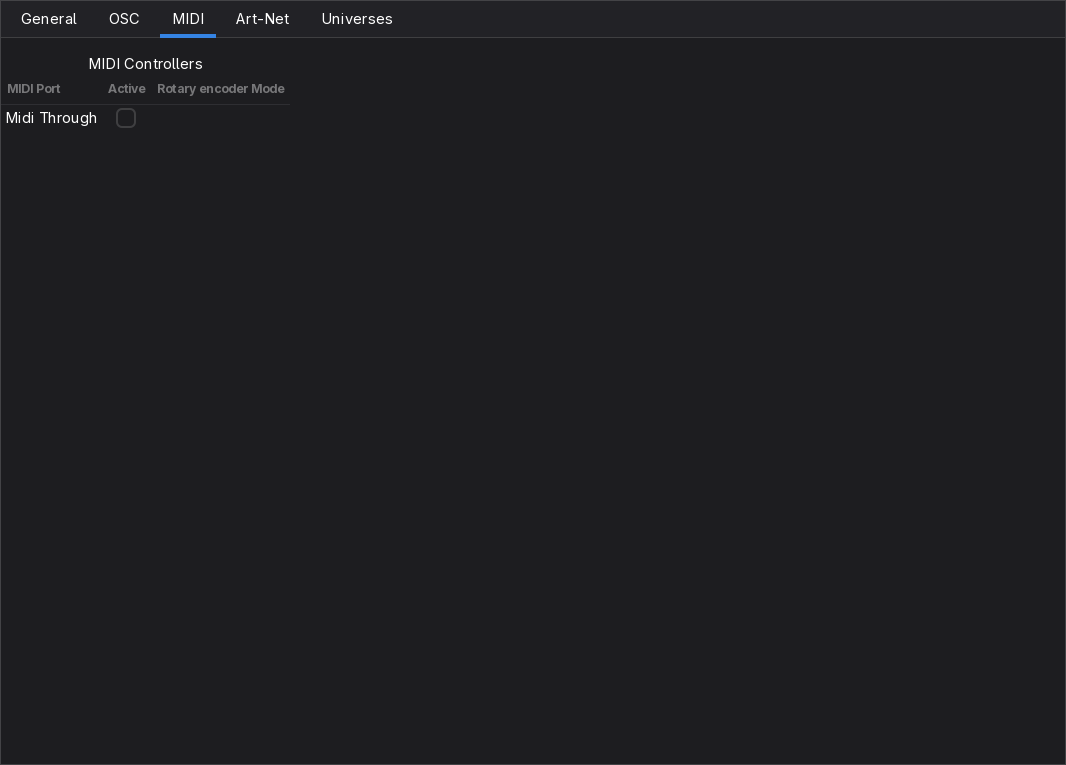
Port Activation & Rotary Encoder Modes
Under Preferences → MIDI:
- Enable
Activeon each target MIDI port (Midi Throughappears even without physical hardware connected). - Set
Rotary encoder Modeto match your hardware’s endless encoder encoding:Relative 1(Two’s complement):1..63increments,65..127decrements.Relative 2(Sign bit):1..63/65..127per sign-bit / offset encoding.Mackie: relative V-Pot encoding used by Mackie Control devices.Absolute: standard0..127continuous controllers.
Interactive MIDI Learn
No manual mapping file is required:
- Open the Virtual Console (
Shift+Ctrl+C). - Toggle
MIDIin the title bar. - Click any virtual control (fader, Flash button, independent knob/button,
Go,Pause,Go Back, …). - Move or press the physical control on your MIDI surface; bindings are saved per page/control inside your
.olcfile.
Motorized Feedback, LEDs & MackieLCD
When your hardware supports bidirectional feedback:
- Faders & Flash LEDs: page switches, cue recalls, and GUI edits transmit updated Control Change and Note feedback to sync motorized faders and illuminated buttons.
- Mackie LCD (
MackieLCD): automatically updates Mackie Control SysEx scribble strips with active fader labels.
Previous: 19. Preferences — Next: 21. OSC, OSCQuery & TouchOSC →