| Français | ← Table of Contents |
5. Patch & DMX Outputs
Patch Tab (Ctrl+P)
The Patch tab offers a device-centric overview of channels, intelligent fixtures, DMX addresses, and dimmer curves:
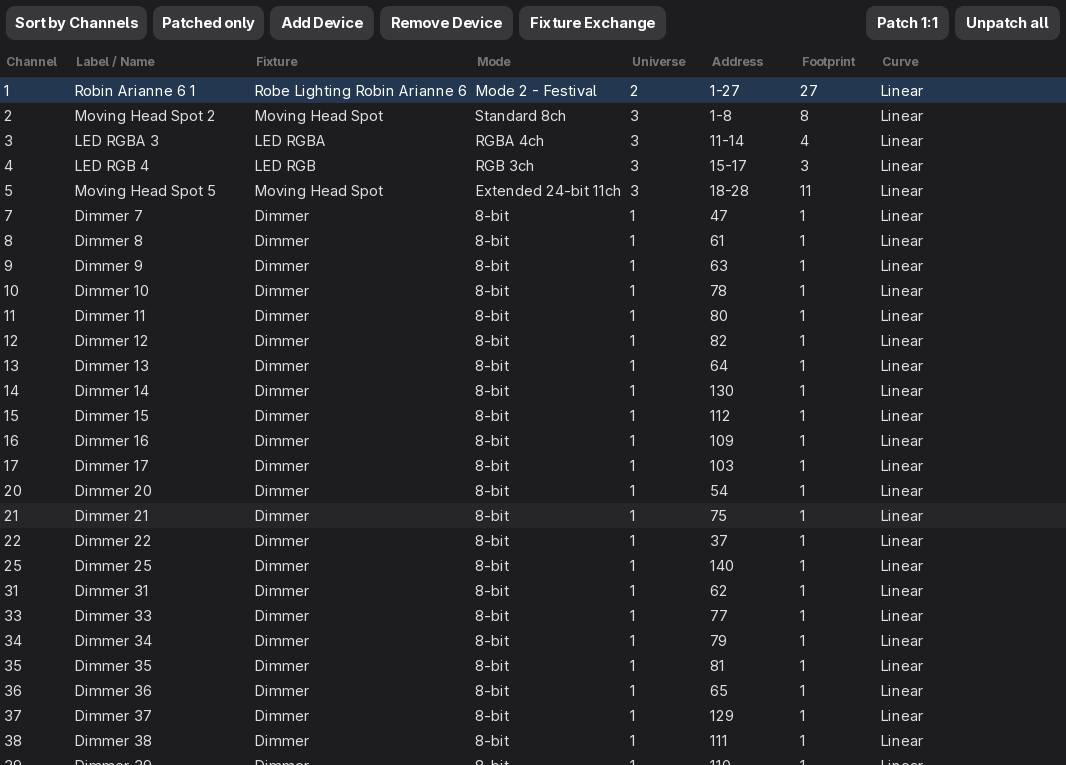
Toolbar Actions
- Sort Toggle (
Sort by Channels/ DMX address sort): switches row ordering and column layout between logical view (Channel first) and physical view (Universe / Address first). - Filter Toggle (
Patched only): hides or shows unpatched channels. Add Device: launches the fixture patching dialog for one or more multi-parameter fixtures from the library (including.gdtfmodels), assigning channel IDs, DMX mode, universe, and non-overlapping addresses automatically.Remove Device: removes or unpatches the selected device.Fixture Exchange: swaps the fixture model or DMX mode of an already patched device while keeping its channel number.Patch 1:1: patches DMX addresses directly 1-to-1 with channels.Unpatch all: clears the entire patch (with confirmation dialog).
Columns & Inline Editing
Each row shows Channel, Label / Name, Fixture, Mode, Universe, Address, Footprint (DMX channel count), and Curve (assigned dimmer curve).
- Click/double-click labels, fixtures, modes, addresses, or curves to edit via inline popovers.
- Command-line patching works identically:
1 PATCH AT 1/10or21 THRU 24 PATCH AT 2/11 UNPATCHorADDRESS 2/1 UNPATCH
DMX Outputs Tab (Ctrl+D)
The DMX Outputs tab renders a live matrix of all 512 DMX addresses across configured universes:
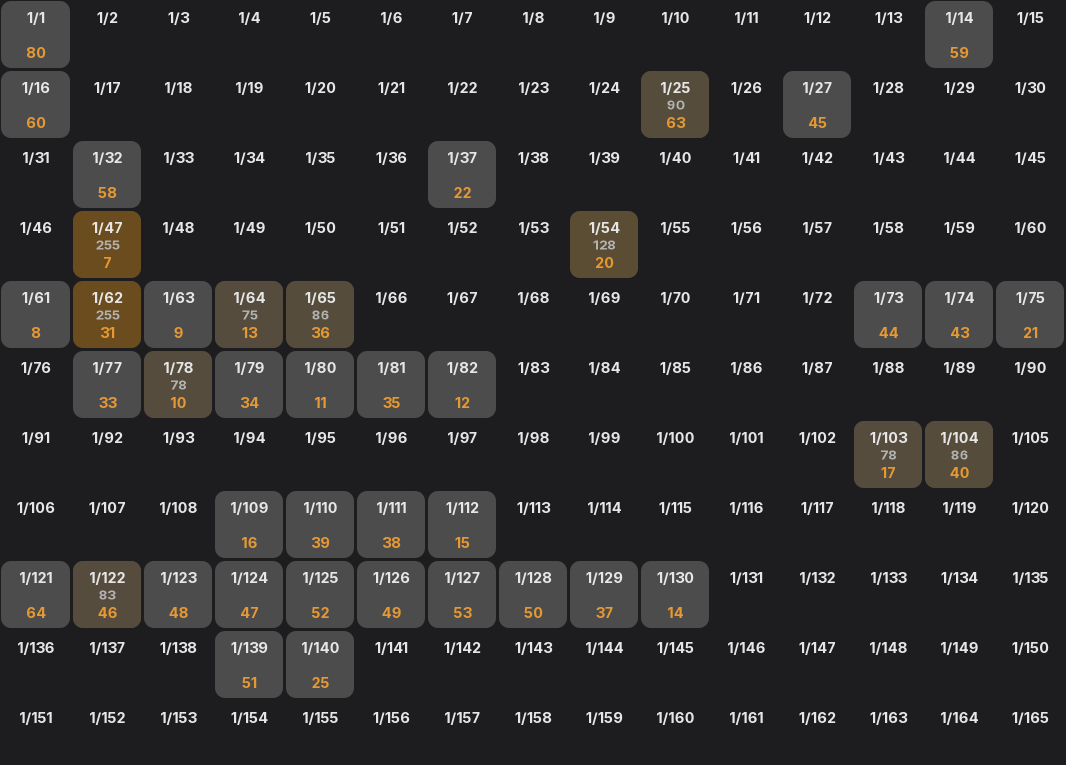
- Top header:
Universe/Address(e.g.1/47,1/62). - Center (white): current DMX output level (
0..255, omitted when zero for readability). - Bottom (amber): patched logical channel number mapped to that address (e.g.
7on1/47,31on1/62). - Live highlight: active output tiles glow amber proportionally to their DMX output level.
Previous: 4. Files, Formats & Import/Export — Next: 6. Fixture Library & GDTF →